Own your live TV & sports.
Rebel IPTV gathers live TV channels and sports into one tidy channel list with a proper TV guide — then plays it on the apps and TVs you already own. It runs on a computer in your home, so there's no subscription and no account.
- No subscription, no account
- Watch on TV, phone or laptop
- Works with Plex, Jellyfin & VLC
When a new version lands, an Update now button appears in your dashboard. One click and it updates itself — your channels and settings carry over.
In plain English
What is this, exactly?
It's a media server for live TV — the way Plex and Jellyfin handle your films and shows, Rebel IPTV handles channels and sport.
What it does
Point it at the sources you want to use and it does the donkey work — collecting what they carry, tidying up the names and logos, and working out what's on when. You end up with one list instead of a mess.
What you need
A computer that stays switched on — a NAS, a mini-PC, even an old laptop — plus about half an hour the first time. After that it looks after itself.
What you get
One address you paste into your TV app. Whatever you've set up to carry, with a full guide alongside it, on your telly, phone, tablet or laptop — or straight in your browser.
Being straight with you: this is software you run rather than a service you subscribe to, so there's a bit of setting up at the start — about half an hour, mostly copying and pasting. The setup guide tells you exactly what's involved before you commit to anything, and walks you through every step.
Have a look
Here's what you actually get
Once it's running, everything happens in your own dashboard — a web page served by your machine that you open in any browser.
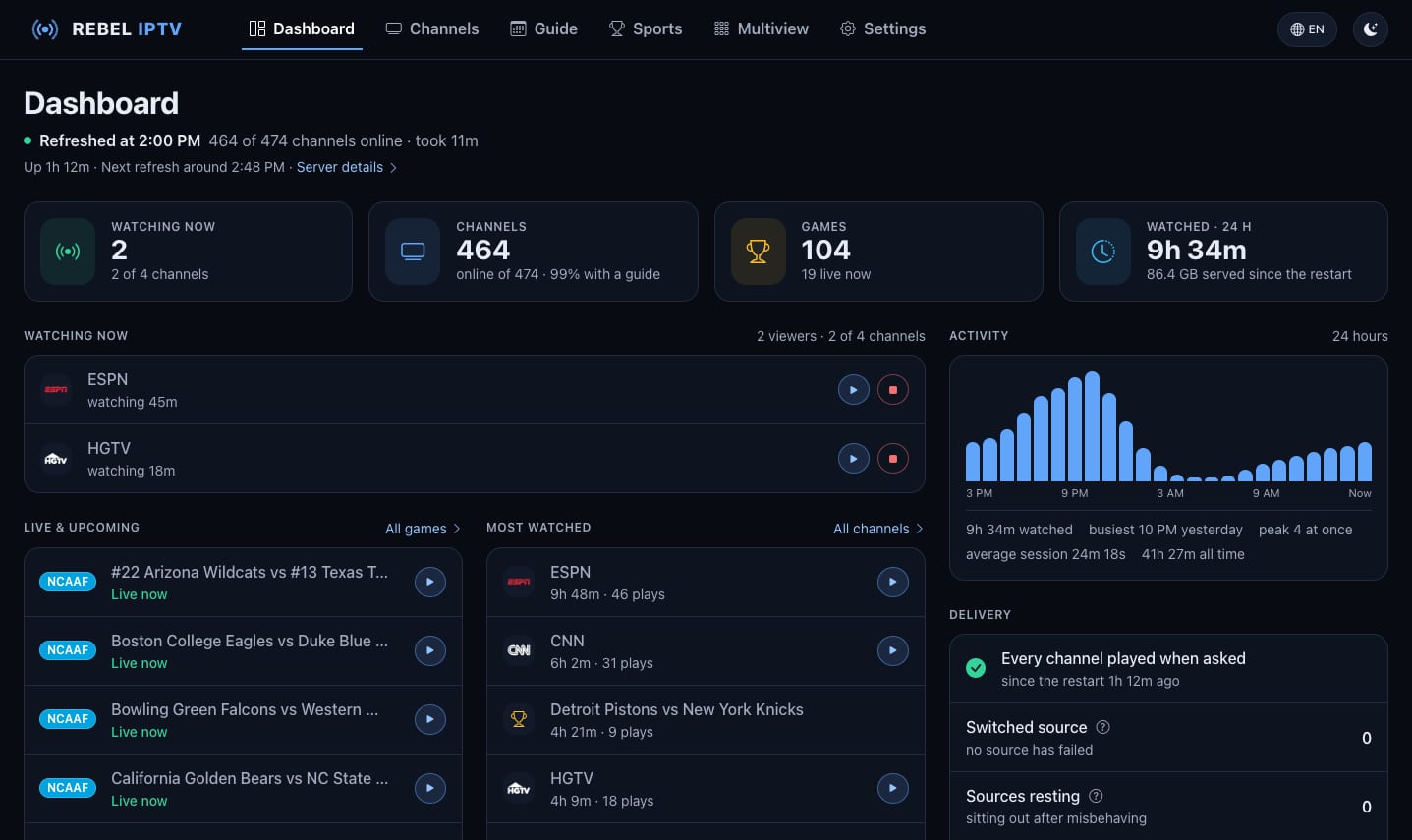
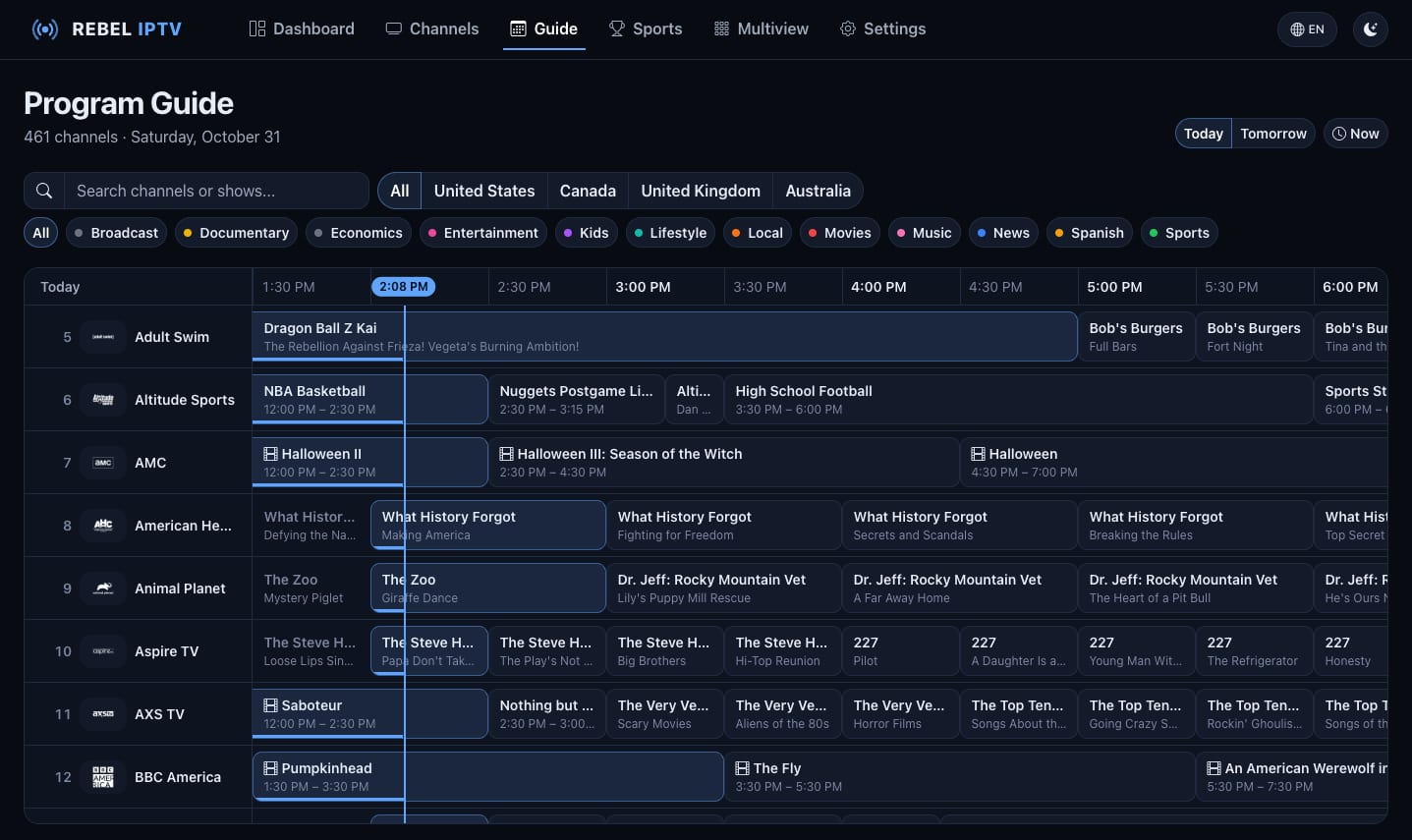
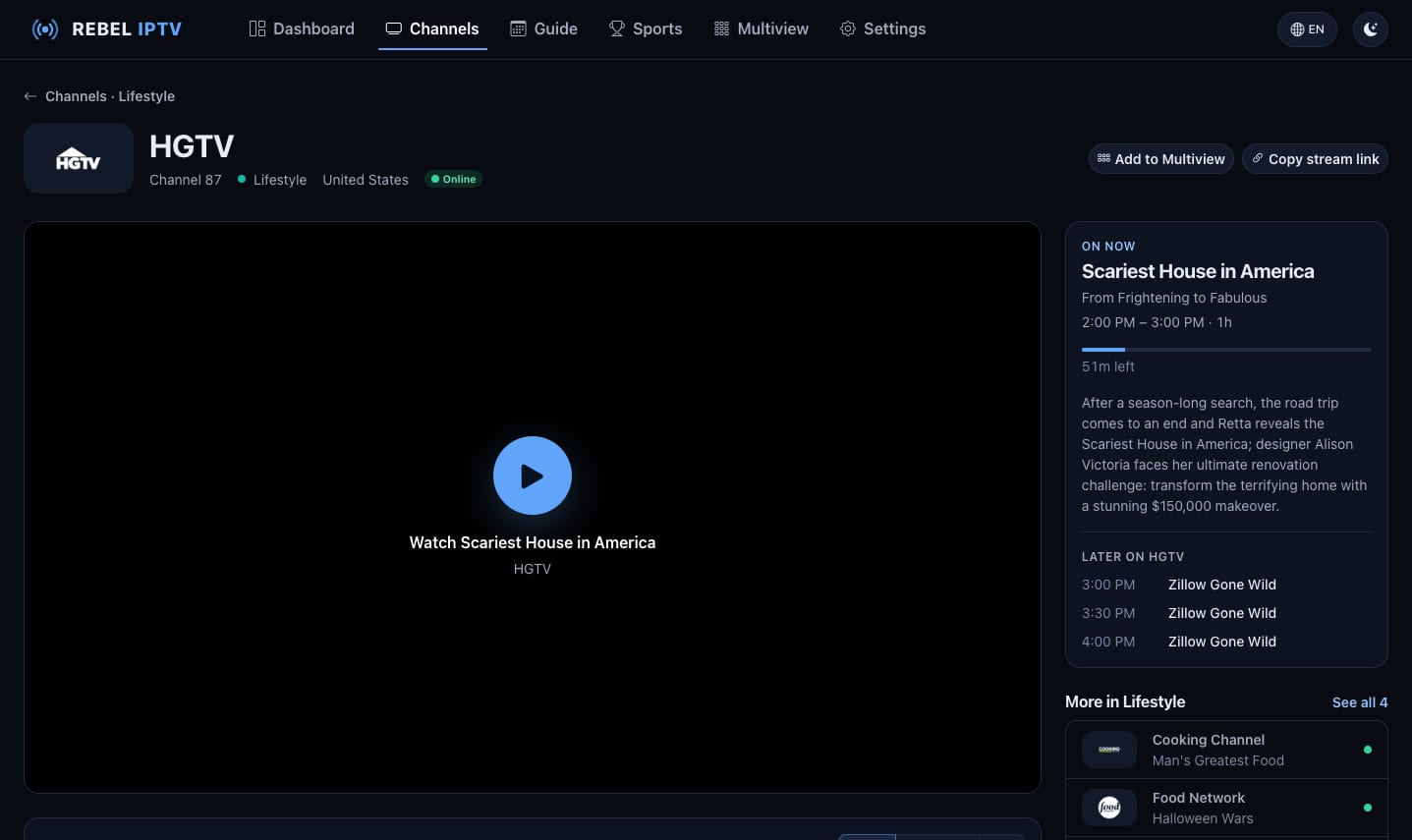
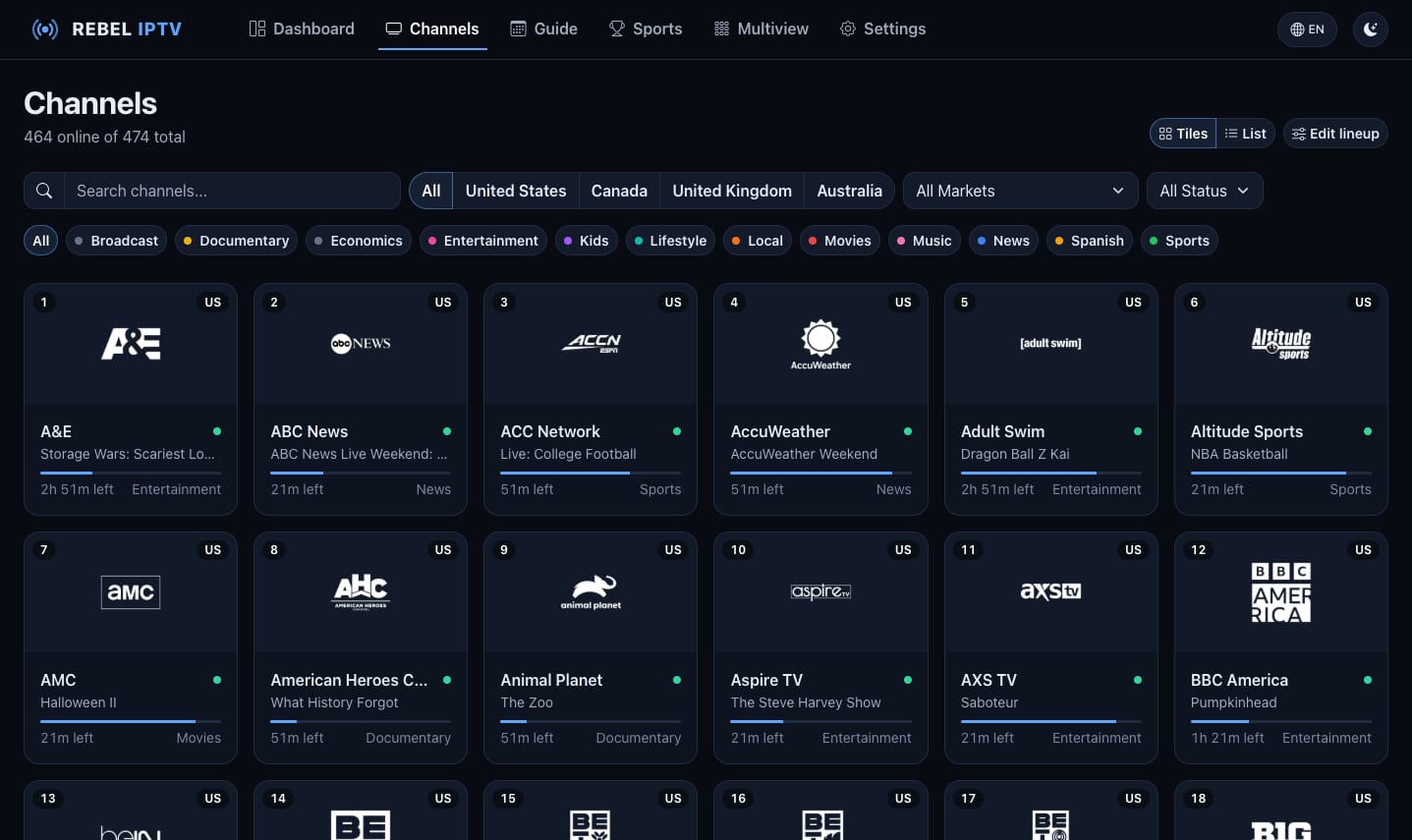
Why Rebel IPTV
Why people run it themselves
Channels that keep working when one goes down, a lineup trimmed to just what you watch, and a guide that fills itself in — all on a machine you own, with nothing locked behind someone else's account.
One clean M3U + EPG
Scraped sources are matched against a canonical channel directory — proper names, logos and a full XMLTV guide. One playlist, one guide, no duplicates or junk.
Multiple sources, automatic fallback
Every channel and live event is backed by more than one upstream source. If one goes offline, your agent falls back to another — so the channel keeps playing instead of going dark.
Bring your own playlists
Beyond the curated lineup, add your own M3U playlists — from a URL, an upload or a file in your data folder — with their own guide if they have one. Their channels join your playlist and guide with the names and logos they came with.
Only what's actually online
Every curated feed is validated live before it reaches you, and offline ones are hidden, so the guide only shows channels that really play right now. Turn the same check on for any playlist of your own.
Make the lineup yours
Enable, disable and reorder channels from the dashboard. Keep the whole curated lineup, or pare it down to just the channels you actually watch — in the order you want them.
Live sports, your way
Upcoming games appear as their own channels with composited matchup artwork. Filter to the leagues you follow, turn events off entirely, or run a sports-only lineup with no live TV.
From nothing to watching
Four steps, start to finish
You only do the first one. The rest happens on its own.
Install it once
Our setup guide writes your configuration file for you — you paste it in and start it up. It takes a few minutes, and you only ever do it once.
It builds your channel list
It goes and finds the channels, sorts out their proper names and logos, checks each one actually works, and figures out what's on when — then puts it all in one list with a TV guide.
It keeps itself up to date
It rechecks in the background and quietly drops anything that's stopped working. If something isn't available where you live, one switch pulls it through our relay instead.
Watch on anything
Watch straight away in your browser, or paste your playlist address into your TV app. Plex, Jellyfin, Emby and Channels DVR can also treat it as a proper TV tuner, complete with recording.
If something's blocked where you live
One switch, and it works anyway
Some channels simply aren't reachable from some countries. Turn on and your machine stops fetching those feeds itself — ours fetch them from somewhere they are reachable and pass them straight through to you. No VPN, no extra box, same channels.
- Reaches channels that are blocked or unavailable in your country
- Streams pass straight through — we host and store none of them
- It's a switch in your dashboard, and you can turn it back off whenever
- Your channel list doesn't change, so nothing you've set up breaks
Works with what you already use
Own your live TV in an afternoon
Deploy the agent on your own box, point it at your sources, and watch on anything. You host it; you own it.